Get more out of the QR code on your bottle with
Scan with Glasswise
A feature that gets more out of your QR code. Create additional value for your winery in a legally compliant way and connect your wines directly with customers.
- The mandatory QR code
- Scanned with the phone cameraOpensE-Label
- or
- Scanned on glasswise.eu, your site or your appOpensYour shop, site or app
- Scanned with the camera
- The code opens your e-label with the mandatory information. Nothing about compliance changes.
- Scanned through Glasswise
- The same code, scanned through Glasswise or through the scanner built into your own site or app, goes where you send it: your shop, a tasting room experience, a loyalty or collection app.
What is Scan with Glasswise?
“Scan with Glasswise” adds a second way to read the QR code on your bottles. Scanned with a phone camera the code leads to your e-label as always. Scanned through Glasswise it opens a destination you choose.
Interested in how it works technically? Learn more in our blog post.
Secondary Use of the QR Code
Get more out of the code already on your labels without touching what the law requires. The mandatory path is unchanged and still opens your e-label. Read through Glasswise, the same code takes people to your website, your shop or a retailer.
White-Label Solution for Your Website or App
Use “Scan with Glasswise” as a flexible white-label solution. Easily integrate the feature on your own website, the website of an association, or in an app and provide your customers with a smooth experience. No technical effort required.
Compatible with Other e-Label Solutions
“Scan with Glasswise” can also be used if you have chosen another e-label solution or use the function of your default cellar inventory software.
An experience in the tasting room
Guests who scan through your wine list land where you want them rather than on the legal page. Show the vintage story, the vineyard, a video, the wine they should try next.
Loyalty and collection apps
The scanner drops into your own app, so the code on the bottle can feed a loyalty scheme or let collectors track the bottles they own.
Change the destination anytime
The code stays printed as it is. Where it leads is a setting, so a campaign, a shop link or a seasonal page can change without a reprint.
Try it Now
Experience “Scan with Glasswise” yourself in just a few steps.
- 1Step 1: PreparationsYou need two devices, such as a smartphone and a notebook. Alternatively, you can print out the QR code.
- 2Step 2: Open the PageOpen the “Scan with Glasswise” page on your smartphone.
- 3Step 3: Scan the QR CodeScan the QR code with the scanner on the “Scan with Glasswise” page.
- 4Step 4: You land on the destinationThe scan resolves to whatever the winery pointed that wine at: a shop, a page, an app. On this demo the link appears below the scanner.
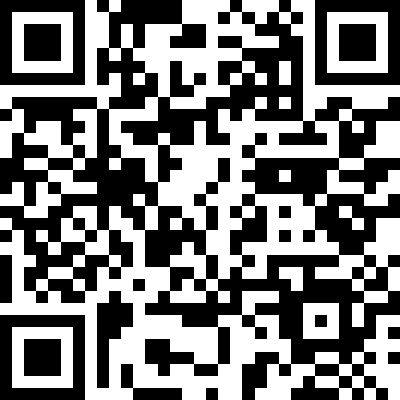
Scan this demo code with the scanner, or print it and scan it from a second device.
Ready to try Glasswise?
Start your free 30-day trial. No credit card required. Set up your first e‑labels in minutes and see what a branded wine data platform looks like.